1. Créer votre application
Une application, c'est votre site ou votre service vu par Tchin : son nom et son image (vos clients les voient en payant), les moyens acceptés, qui paie les frais, et une paire de clés. Vous pouvez en avoir plusieurs, une par site.
- Ouvrez un compte sur tchin.tech et vérifiez votre identité (une photo de votre pièce et un selfie, depuis votre téléphone).
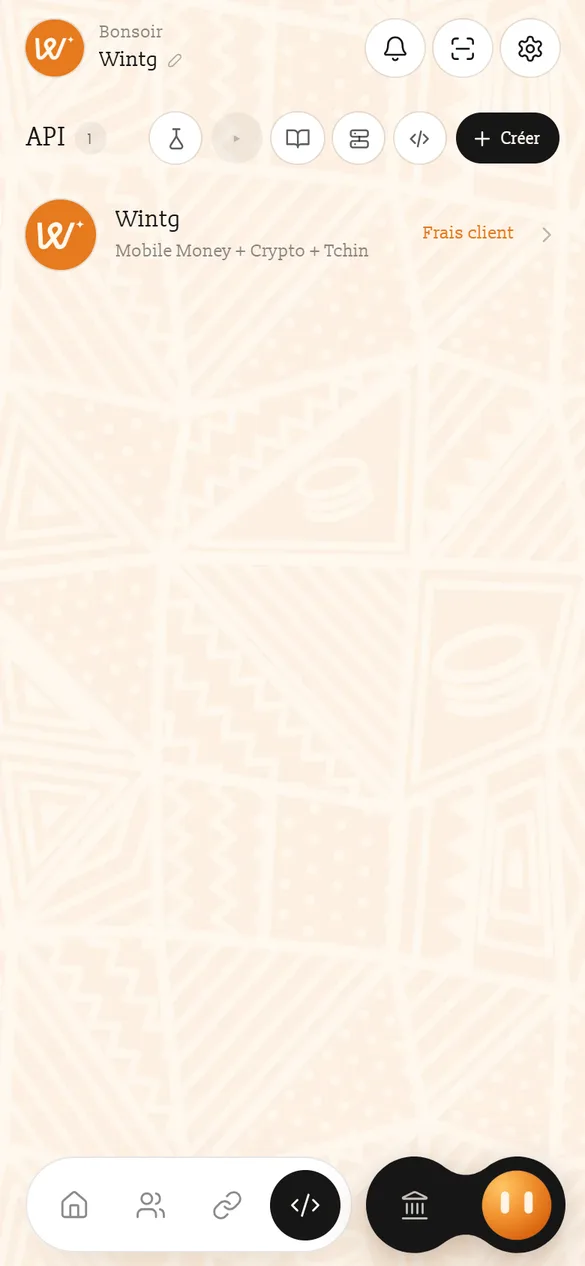
- Allez sur la page API de votre compte et touchez Créer.
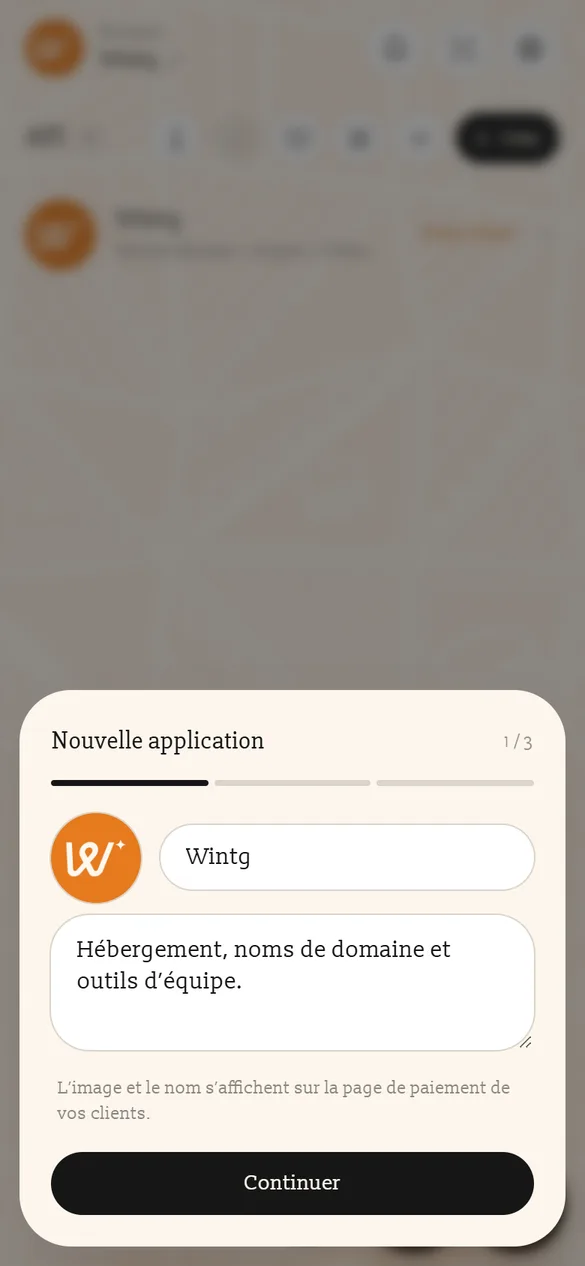
- Identité : une image, un nom (celui que verront vos clients) et une description.
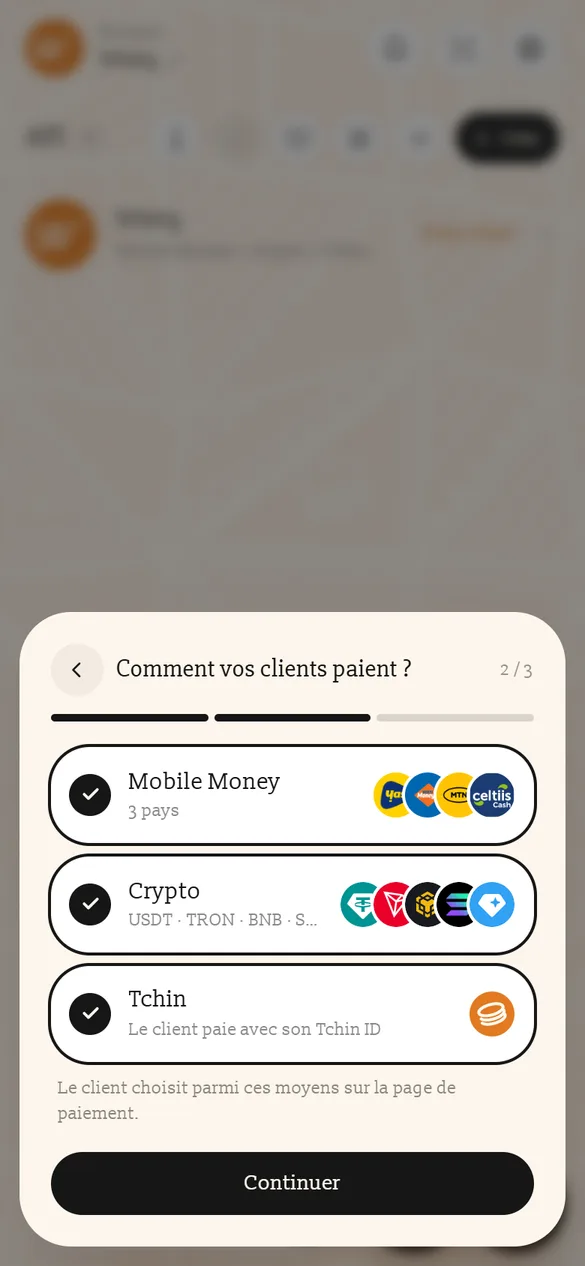
- Moyens : cochez ce que vos clients pourront utiliser : Mobile Money (Togo, Bénin, Burkina Faso), Crypto (USDT, TRX, BNB, SOL…), compte Tchin.
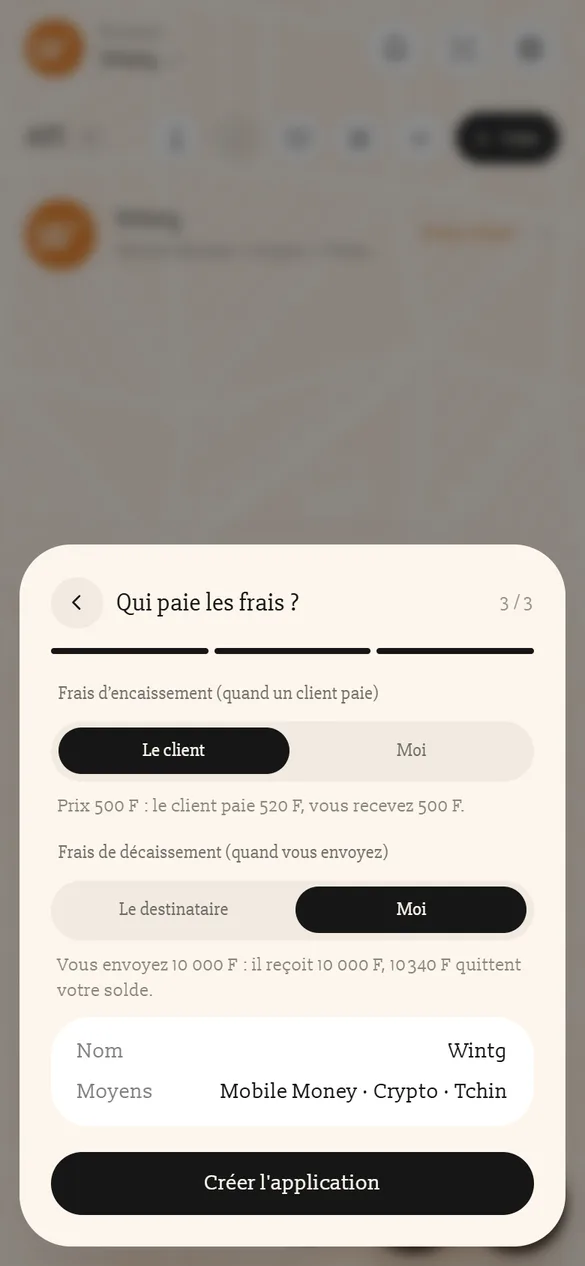
- Frais : à l'encaissement, le client ou vous ; au décaissement (quand vous versez), le destinataire ou vous. Touchez Créer l'application.
2. Récupérer vos clés
Touchez votre application, puis Voir les clés. Tchin vous demande votre Tchin PIN (ou votre biométrie), à chaque fois. Copiez les deux clés dans la configuration de votre serveur (variables d'environnement).
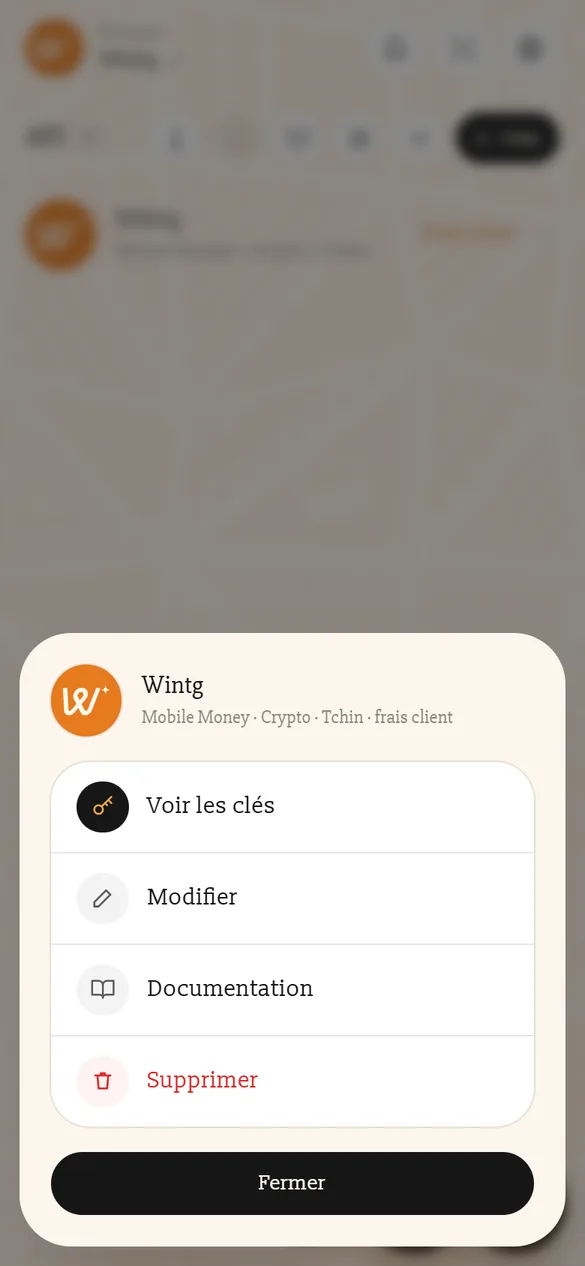
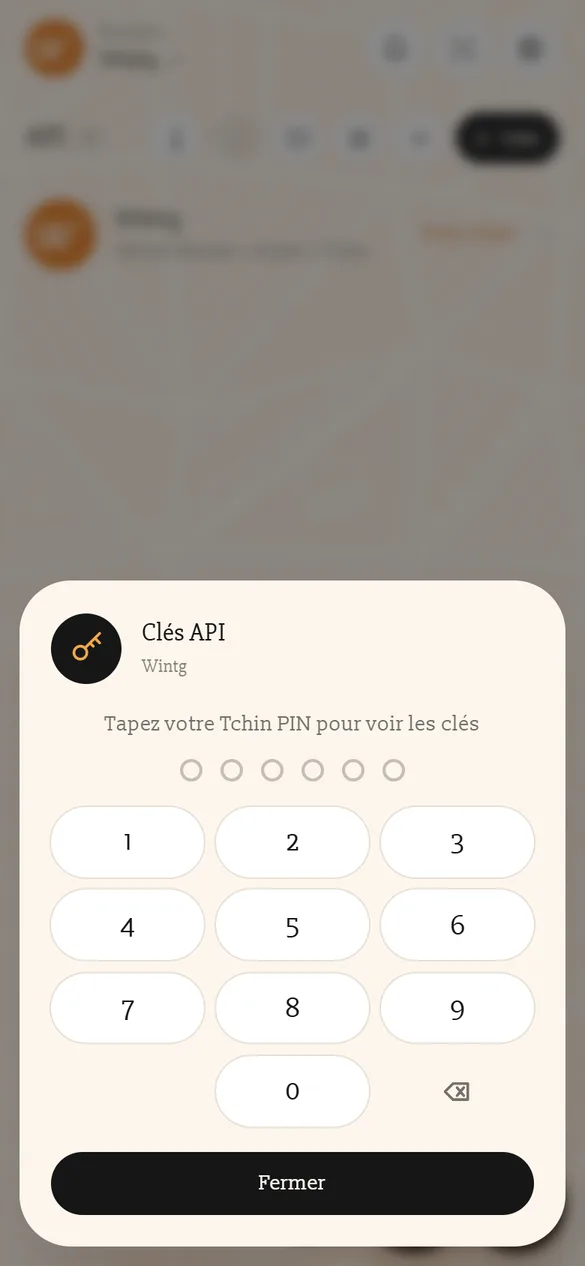
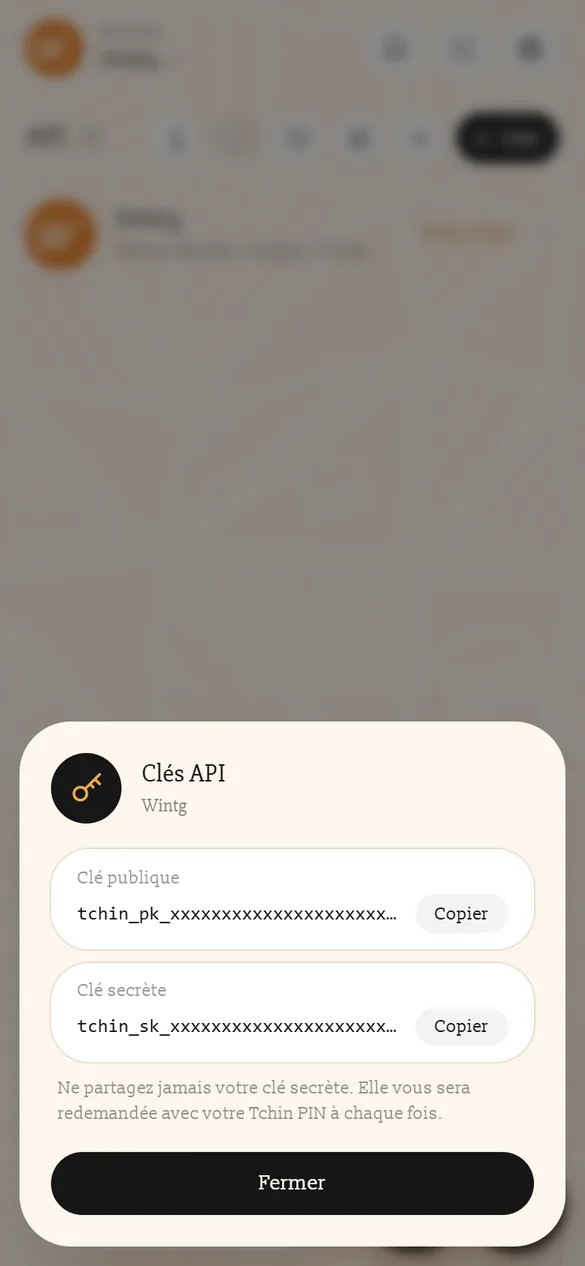
Vous changerez plus tard les moyens et les frais avec Modifier : vos clés ne changent pas.
| Clé | Où la mettre | Rôle |
|---|---|---|
tchin_pk_… | votre serveur | la clé publique, envoyée dans l’en-tête TCHIN-PUBLIC-KEY |
tchin_sk_… | votre serveur seulement | la clé secrète : en-tête TCHIN-PRIVATE-KEY, et la vérification des webhooks |
token.3. Créer un paiement (serveur)
Votre serveur appelle Tchin avec le montant, une description et l'adresse de votre webhook. "env": "test" : rien n'est débité.
curl -X POST https://tchin.tech/api/v1/payments \
  -H "TCHIN-PUBLIC-KEY: tchin_pk_..." \
  -H "TCHIN-PRIVATE-KEY: tchin_sk_..." \
  -H "Content-Type: application/json" \
  -d '{
    "amount": 25000,
    "description": "Wintg Cloud - pack Pro",
    "callback_url": "https://wintg.group/webhook-tchin",
    "env": "test"
  }'
require 'tchin-php/src/Tchin.php';
$tchin = new Tchin\Client(getenv('TCHIN_PUBLIC_KEY'), getenv('TCHIN_PRIVATE_KEY'));
$p = $tchin->creerPaiement(25000, 'Wintg Cloud - pack Pro', 'https://wintg.group/webhook-tchin', ['env' => 'test']);
echo json_encode(['token' => $p['token']]); // pour votre pageconst { Tchin } = require('./tchin-node');
const tchin = new Tchin(process.env.TCHIN_PUBLIC_KEY, process.env.TCHIN_PRIVATE_KEY);
const p = await tchin.creerPaiement(25000, 'Wintg Cloud - pack Pro', 'https://wintg.group/webhook-tchin', { env: 'test' });
res.json({ token: p.token }); // pour votre pagefrom tchin import Tchin
tchin = Tchin(os.environ['TCHIN_PUBLIC_KEY'], os.environ['TCHIN_PRIVATE_KEY'])
p = tchin.creer_paiement(25000, 'Wintg Cloud - pack Pro', 'https://wintg.group/webhook-tchin', env='test')
return {'token': p['token']} # pour votre pageTchin tchin = new Tchin(System.getenv("TCHIN_PUBLIC_KEY"), System.getenv("TCHIN_PRIVATE_KEY"));
String json = tchin.creerPaiement(25000, "Wintg Cloud - pack Pro", "https://wintg.group/webhook-tchin", Map.of("env", "test"));
// lisez « token » avec votre bibliothèque JSON et rendez-le à votre pagec := tchin.Nouveau(os.Getenv("TCHIN_PUBLIC_KEY"), os.Getenv("TCHIN_PRIVATE_KEY"))
p, err := c.CreerPaiement(25000, "Wintg Cloud - pack Pro", "https://wintg.group/webhook-tchin", map[string]any{"env": "test"})
if err != nil { /* err.Error() : le message de Tchin */ }
json.NewEncoder(w).Encode(map[string]any{"token": p["token"]})Tchin répond :
{
  "success": true,
  "token": "jtkkbphr7azsn3",
  "payment_url": "https://tchin.tech/pay/jtkkbphr7azsn3",
  "env": "test"
}
4. Ouvrir la feuille (page)
Ajoutez le kit web, une ligne de script, puis ouvrez la feuille avec le token rendu par votre serveur :
<button id="payer">Payer avec Tchin</button>

<script src="https://tchin.tech/js/tchin-pay.js"></script>
<script>
  document.getElementById('payer').onclick = async function () {
    const r = await fetch('/creer-paiement', { method: 'POST' }).then((x) => x.json()); // votre serveur
    TchinPay.open({
      token: r.token,
      onSuccess: function (r) { /* confirmez côté serveur, puis remerciez */ },
      onPending: function (r) { /* le client valide sur son téléphone */ },
      onClose: function (r) { /* r.reason : closed | success */ }
    });
  };
</script>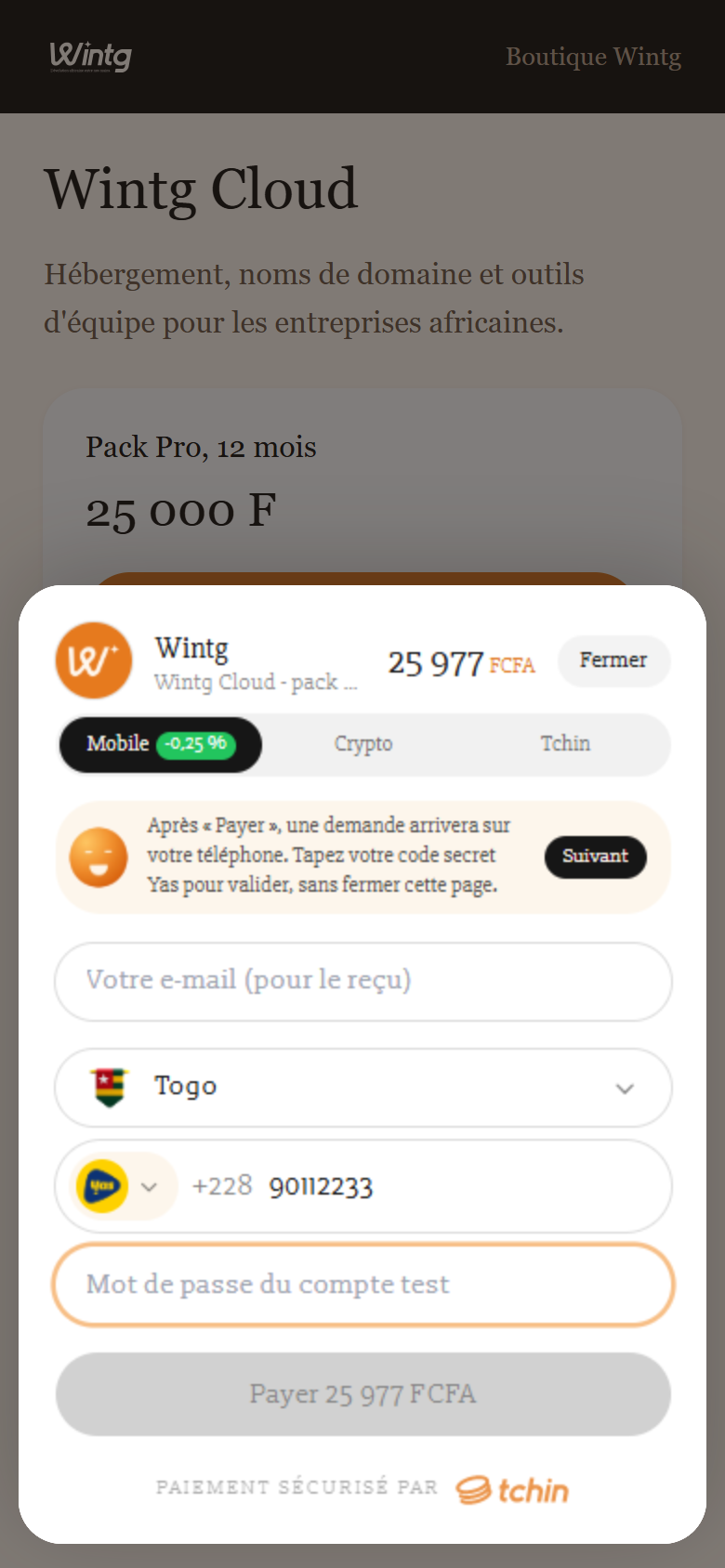
5. Recevoir le résultat (webhook)
Tchin appelle votre callback_url à chaque changement d'état. Vérifiez la signature, puis livrez si status vaut completed :
$d = $tchin->verifierWebhook($_POST['data'] ?? []);
if (! $d) { http_response_code(401); exit; }           // signature fausse ou trop ancienne
if ($d['status'] === 'completed') { livrer($d['reference']); }
http_response_code(200);
app.post('/webhook-tchin', express.urlencoded({ extended: true }), (req, res) => {
const d = tchin.verifierWebhook(req.body.data);
if (!d) return res.sendStatus(401);
if (d.status === 'completed') livrer(d.reference);
res.sendStatus(200);
});data = {k[5:-1]: v for k, v in request.form.items() if k.startswith('data[')}
d = tchin.verifier_webhook(data)
if not d: abort(401)
if d['status'] == 'completed': livrer(d['reference'])
return '', 200// Spring : @PostMapping("/webhook-tchin") public ResponseEntity<?> w(@RequestParam Map<String,String> form)
Map<String, String> data = new HashMap<>();
form.forEach((k, v) -> { if (k.startsWith("data[")) data.put(k.substring(5, k.length() - 1), v); });
if (!tchin.verifierWebhook(data)) return ResponseEntity.status(401).build();
if ("completed".equals(data.get("status"))) livrer(data.get("reference"));
return ResponseEntity.ok().build();r.ParseForm()
if !c.VerifierWebhook(r.PostForm) { http.Error(w, "signature", 401); return }
if r.PostForm.Get("data[status]") == "completed" { livrer(r.PostForm.Get("data[reference]")) }
w.WriteHeader(200)onSuccess) : seul le webhook signé, ou GET /api/v1/payments/{token}/status, fait foi.6. Tester
En mode test, payez avec les comptes test (page API de Tchin, bouton Comptes test) : Mobile Money, crypto (un bouton Simuler le paiement) ou compte Tchin. Quand tout marche, passez "env": "live".
La suite : les paiements en détail, les moyens, les webhooks.